Launch. Layer. Mix.
An 8 × 5 deck inspired by VJ workflows lets you trigger and mix ILDA clips live. Dynamic layer and column controls put your content within reach.Designed for MIDI controllers such as the Akai APC-40 series.
Downloads / Free & source-available software
Live laser control.
Built for your creative flow.
A free, source-available laser show application for VJs, laser operators and visual technicians. Launch clips, blend layers and create generative visuals in real time with a familiar, performance-focused workflow.
Download TrueLazerOpens the official GitHub releases. Choose an installer under “Assets” and read the release notes for that version.
Read the documentation & getting started guide → Explore the project & source code ↗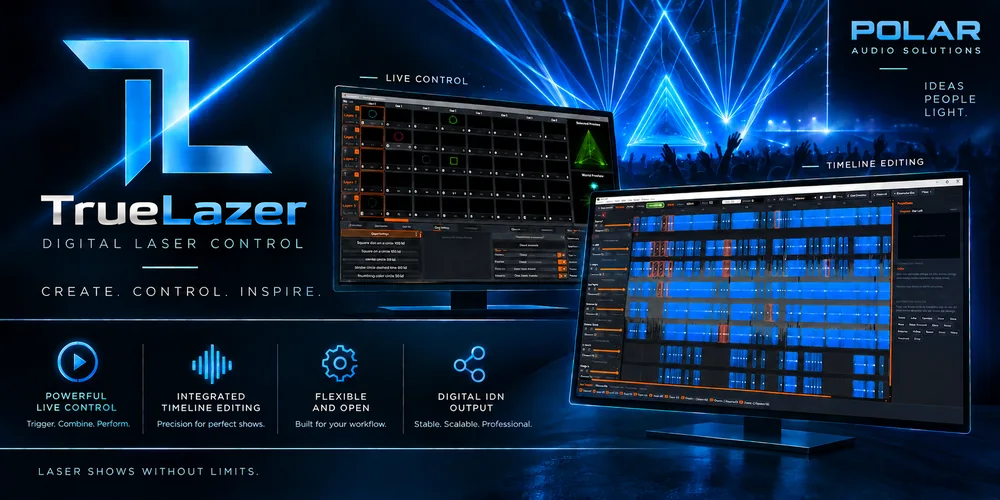
A familiar workflow. A laser-focused tool.
Video mixing has its tools. TrueLazer focuses that familiar VJ-style workflow on ILDA (International Laser Display Association) control — bringing live organisation, layering and mixing to your laser content.
What it can do
Build your performance around clips, generators and real-time effects, then connect your controllers and laser outputs. Feature availability can vary by release; check the notes for your downloaded version.
An 8 × 5 deck inspired by VJ workflows lets you trigger and mix ILDA clips live. Dynamic layer and column controls put your content within reach.Designed for MIDI controllers such as the Akai APC-40 series.
Generate geometry, text, patterns, clocks and countdown timers on stage without pre-rendered files. Shape the content while the show is running.
Transform, warp, wave, noise, strobe and colour palettes give you hands-on control. Add custom delay and chase effects, with parameter speed-syncing to BPM, FPS or timeline clocks.Warp uses positional gravity to pull or push points around its centre.
Native IDN communication, Showbridge and EtherDream streaming connect the software to supported DACs. Assign outputs with drag-and-drop routing and arrange custom channel delay and chase order.Control mapping: MIDI · Hotkeys · DMX / Art-Net. NDI 6 video input remains a developing feature; see the note below.
Timeline and show editing tools support programmed performances alongside live operation. Per-channel projector settings cover safety zones, output mapping, colour balance and position test lines.
Looking ahead
These areas are in development. They are a direction for the project, not a promise that every feature is included in the current download.
Touch-controller interfaces and interactive show automation through Open Sound Control.
Work on synchronisation with TCNet, ProDJ-Link, StageLinq and other DJ protocols is ongoing.
Further development and performance optimisation of live NDI video rendering. NDI development and optimisation are not a priority in current versions.
More supported DAC brands, community-contributed drivers and modular presets as the project evolves.
Get the available builds and release notes directly from the official TrueLazer repository.
TrueLazer is free and source-available. Source-available does not mean open-source; use and redistribution are subject to the project licence.
Downloads are provided by the official GitHub project. No installer is hosted on this website.